Top Automation Devices Worth Your Money
Smart home automation has evolved past the novelty stage. In 2024, functionality, compatibility, and energy efficiency are what matter most. Let’s break down the best reviewed devices that are delivering automation that actually makes life easier.
Smart Plugs and Light Switches
Smart plugs and light switches continue to lead the way in entry level automation. They’re affordable, easy to install, and often serve as a gateway to broader smart home setups.
Best Picks for 2024
TP Link Kasa Smart Plug EP25 (Matter enabled): Known for reliability and multi platform compatibility.
Lutron Caséta Smart Switches: A top tier option for robust home lighting control.
Key Features That Matter:
Power Scheduling: Automate lights and appliances by time of day or specific triggers.
Remote Access: Control devices remotely from your phone or voice assistant.
Energy Tracking: Some models let you monitor energy consumption to better manage usage.
Voice Assistants: Alexa, Google Assistant, and Others
Voice assistants remain at the core of smart home control, but 2024 continues the trend toward ecosystem compatibility and smarter contextual responses.
System Comparison
Amazon Alexa: Great for wide hardware support, skill customization, and third party integrations.
Google Assistant: Strong for natural language recognition and better integration with Google services like Maps and Calendar.
Apple’s Siri (via HomeKit): Prioritizes privacy and native integration with Apple devices, but limited third party hardware support.
Choosing the Right Ecosystem
Consider what devices you already own.
Match your automation needs (e.g., security, lighting, appliances) with the strengths of each platform.
Check Matter compatibility to mix and match vendors without friction.
Smart Thermostats: Automate Comfort & Cut Costs
Smart thermostats are about more than just controlling your home’s temperature. The new class of devices in 2024 uses artificial intelligence to learn your daily routine, making your home more responsive and energy efficient.
Top Models
Google Nest Learning Thermostat (3rd Gen): Learns your schedule, adjusts automatically, and integrates well with both Google and Alexa.
ecobee SmartThermostat with Voice Control: Comes with built in Alexa and remote sensors for room by room temperature balance.
What to Look For:
HVAC Compatibility: Double check if the thermostat supports your heating/cooling system.
AI Driven Learning: Modern thermostats adapt over time to reduce energy usage without compromising comfort.
Remote Access & Integration: Adjust settings on the go and link with routines based on weather, presence, or time of day.
Best Devices for Home Security
Smart Doorbells (Ring, Eufy, Arlo)
Not all smart doorbells are built the same. The best ones like newer models from Ring, Eufy, and Arlo offer at least 2K resolution (sometimes full 4K), which makes a difference when you’re zooming in on a package thief’s face. Motion detection has gotten smarter too, with AI that can tell a squirrel from a stranger, cutting down on false alerts.
App usability matters more than you’d think. If it takes more than two taps to check your front door live feed, you’re going to hate using it. Arlo tends to win for clean interfaces, while Ring’s strength lies in its wider ecosystem.
Cloud storage vs. local recording? Depends. Cloud gives you backups and remote access but comes with costs and privacy tradeoffs. Local storage (like Eufy offers) gives you more control but can be limited if stolen or damaged. Know what you value more: data independence or cloud convenience.
Indoor and Outdoor Security Cameras
Wide field of view (at least 120°), infrared night vision, and two way audio should be your baseline. The good ones even under $100 nail all three. Cameras from Reolink and Arlo are solid bets. Outdoor models need to be weather rated. Indoor units should be discreet enough not to feel intrusive.
Pay close attention to the subscription model. Some cameras record to the cloud only if you pay monthly; others let you use SD cards or home NAS systems. And always scan the privacy disclosures: some brands still auto enable cloud uploads or facial recognition by default. Turn off what you don’t need.
Smart Locks & Entry Sensors
The keypad vs. smartphone debate comes down to preference. Keypads are rock solid for multi user households (kids, guests, dog walkers), while phone based access works well for people glued to their devices. Look for models that support temporary codes and access logs.
What counts is how these locks integrate. If your lock can talk to your alarm or door sensors (through systems like Z Wave or Matter), you’ve got seamless access control. Bonus points if you can set routines like locking the door and arming the alarm with one tap or voice command. Security shouldn’t feel like extra work.
Connected System Setups That Actually Work
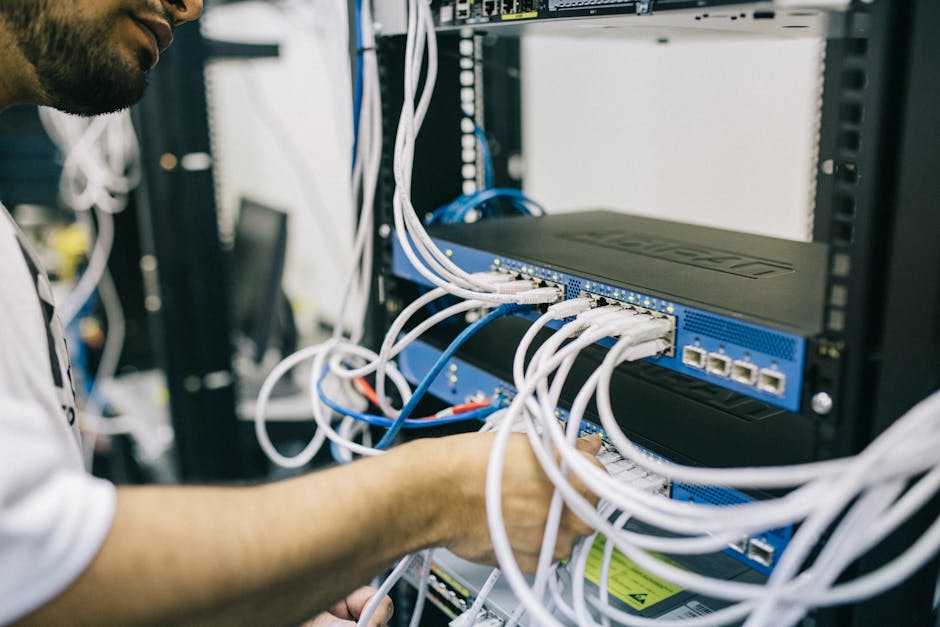
Getting your smart devices to work together seamlessly is where real time savings and efficiency kick in. But with so many brands, ecosystems, and protocols competing for space in your home, choosing the right setup matters.
Cross Platform Communication: Matter, Zigbee, and Z Wave
Many smart home devices use different protocols to communicate. Understanding the major ones can help ensure all your devices speak the same language:
Matter: The emerging industry standard designed to unify smart home ecosystems. Backed by Apple, Google, Amazon, and others, Matter makes new devices more interoperable.
Zigbee: A long established mesh network that works well on lower bandwidth and is ideal for lighting, sensors, and smart switches.
Z Wave: Similar to Zigbee but with stricter certification standards, offering strong security and reliability, often used with smart locks and control panels.
Tip: When shopping, look for hubs or bridges that support multiple protocols or Matter certified devices that simplify integration.
Smart Setups by Living Space
Your living environment should guide how you structure your smart home system. Here are some proven combos that work:
For Small Apartments
Smart plug kit with remote scheduling
Compact voice assistant (like Google Nest Mini or Echo Dot)
Smart bulbs or switches for adaptive lighting
Wi Fi video doorbell with built in motion detection
For Medium to Large Homes
Mesh Wi Fi system for comprehensive coverage
Smart thermostat paired with temperature sensors across rooms
Indoor and outdoor security cameras
Smart locks on all main entries
Central hub or controller (with Matter or multi protocol support)
For Remote Cabins or Vacation Homes
Cellular based smart hub (for off grid access)
Battery powered sensors for doors and windows
Smart lighting triggered by motion or set schedules
Remote monitoring via cloud connected security cameras
Automation Routines That Save Time
Setting up quick win routines makes your smart home work harder and smarter for you. A few ideas:
“Away Mode”: One tap switch that turns off lights, adjusts thermostat, and arms security devices when everyone leaves.
“Wake Up Scene”: Automatically brightens bedroom lights, plays your morning playlist, and adjusts the thermostat.
Motion Based Lighting: Lights activate when movement is detected and turn off after inactivity.
Energy Saving Rules: Thermostats lower temperature when windows or doors are open, minimizing energy use.
These setups eliminate repetitive tasks and double down on what smart homes do best: making everyday life more convenient.
Don’t Skip Network Security
Smart homes aren’t just smarter they’re more exposed. Every connected bulb, camera, and thermostat can be a potential entry point for someone who’s not supposed to be there. The most overlooked threats are the ones sitting quietly in plain sight: outdated firmware, weak passwords, or devices still using factory default settings. It doesn’t take elite level hacking to break in just one vulnerable link.
Start with the basics. Set up your network like you expect it to be tested. That means creating a separate Wi Fi network for your smart devices, changing default router settings, using complex, unique passwords across the board, and enabling two factor authentication where possible. Think of your router as the front gate; if it’s weak, everything behind it is fair game.
Also, treat software updates like brushing your teeth boring, but essential. Turn on auto updates if your devices support it. Schedule monthly check ins to review which devices are actually in use and remove the ones you don’t need.
Smart homes make life easier but without vigilance, they can quietly open the door to unseen risks. For a more detailed setup guide, check out the full breakdown here: smart home security setup.
Maximize Tech Without Adding Friction
A smart home is supposed to make life easier not feel like a second job. But it’s easier than you’d think to cross the line into over automated chaos. When every light, plug, camera, and thermostat needs its own app or worse, refuses to work nicely with the rest you hit diminishing returns quickly. Avoid decision fatigue by sticking to a single ecosystem where possible. One platform to rule them all keeps things manageable.
Skip the complex routines that require a whiteboard to map out. Automations should serve you, not require troubleshooting every Sunday. Start small: smart lights on a schedule, thermostat that adjusts when you leave, door sensors that send a simple alert. Layer in complexity only when it solves a real life annoyance.
To prevent buyer’s remorse, think ahead. Look for gear marked as Matter compatible or with solid update support. That’s how you avoid the trap of owning five different hubs or devices that won’t sync six months from now. Smart homes should stay smart not become relics with touchscreens. In 2024, the winners will be the ones who find simplicity in the stack.

 Ask Jorlina Zyphandella how they got into tech innovations and trends and you'll probably get a longer answer than you expected. The short version: Jorlina started doing it, got genuinely hooked, and at some point realized they had accumulated enough hard-won knowledge that it would be a waste not to share it. So they started writing.
What makes Jorlina worth reading is that they skips the obvious stuff. Nobody needs another surface-level take on Tech Innovations and Trends, Expert Analysis, Software Development Insights. What readers actually want is the nuance — the part that only becomes clear after you've made a few mistakes and figured out why. That's the territory Jorlina operates in. The writing is direct, occasionally blunt, and always built around what's actually true rather than what sounds good in an article. They has little patience for filler, which means they's pieces tend to be denser with real information than the average post on the same subject.
Jorlina doesn't write to impress anyone. They writes because they has things to say that they genuinely thinks people should hear. That motivation — basic as it sounds — produces something noticeably different from content written for clicks or word count. Readers pick up on it. The comments on Jorlina's work tend to reflect that.
Ask Jorlina Zyphandella how they got into tech innovations and trends and you'll probably get a longer answer than you expected. The short version: Jorlina started doing it, got genuinely hooked, and at some point realized they had accumulated enough hard-won knowledge that it would be a waste not to share it. So they started writing.
What makes Jorlina worth reading is that they skips the obvious stuff. Nobody needs another surface-level take on Tech Innovations and Trends, Expert Analysis, Software Development Insights. What readers actually want is the nuance — the part that only becomes clear after you've made a few mistakes and figured out why. That's the territory Jorlina operates in. The writing is direct, occasionally blunt, and always built around what's actually true rather than what sounds good in an article. They has little patience for filler, which means they's pieces tend to be denser with real information than the average post on the same subject.
Jorlina doesn't write to impress anyone. They writes because they has things to say that they genuinely thinks people should hear. That motivation — basic as it sounds — produces something noticeably different from content written for clicks or word count. Readers pick up on it. The comments on Jorlina's work tend to reflect that.